Program your cameras in plain English.
Tell Covie what matters. Covie turns your instructions into private, always-on vision automations that run on a small AI hub in your home.
Local AILocal storageYour cameras, your rules
A product demonstration. Someone writes an instruction to Covie in plain English, Covie confirms it, and a phone notification arrives — all of it running locally on the Covie Hub. The examples shown are: “Let me know if Dad leaves the house without his cane.”, which notifies “Dad just left without his cane.”; “Let me know if Noah is unsafe.”, which notifies “Noah is climbing onto the kitchen counter.”; “Let me know if the gate is open and Theo's in the yard.”, which notifies “The gate is open and Theo is in the yard.”; and “Tell me if the stove is on and no one's around for 10 minutes.”, which notifies “The stove has been on for 10 minutes with no one in the kitchen.”.
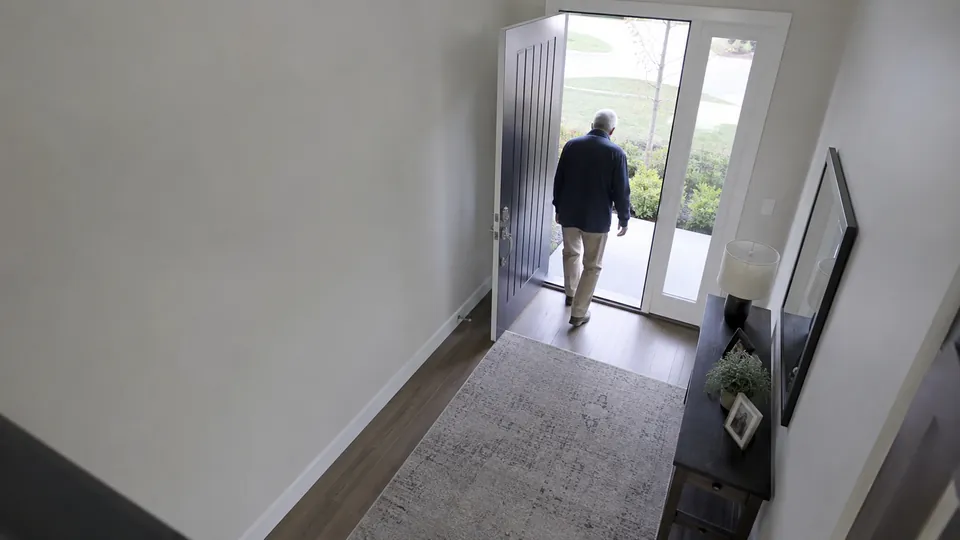
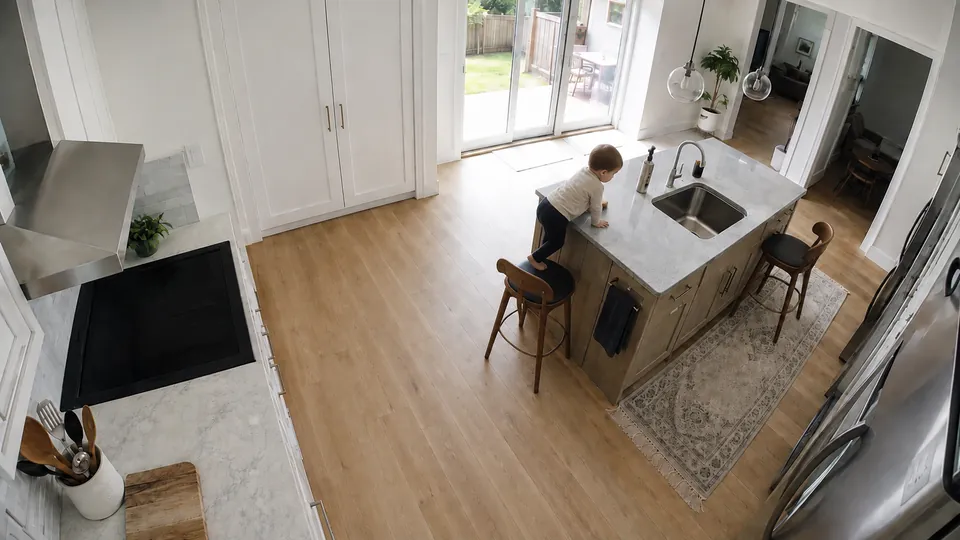
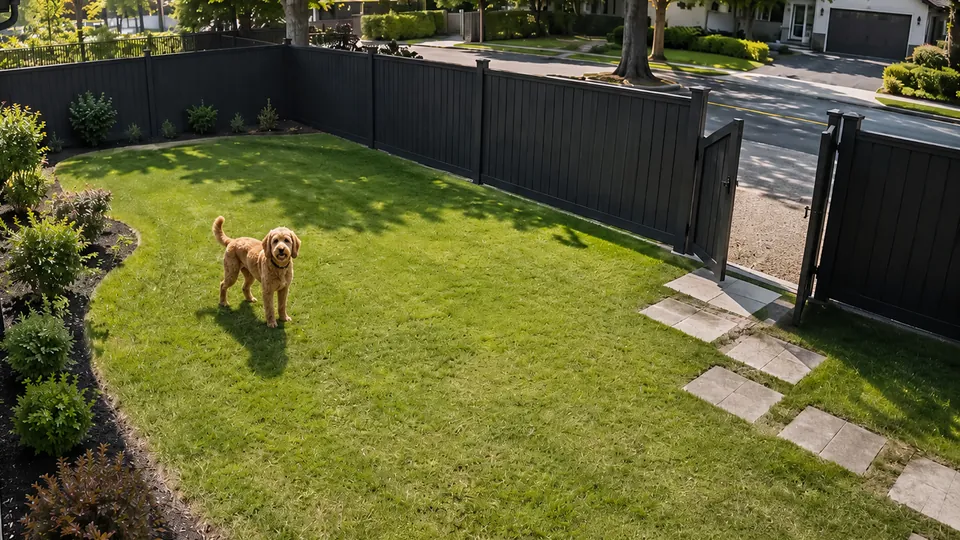
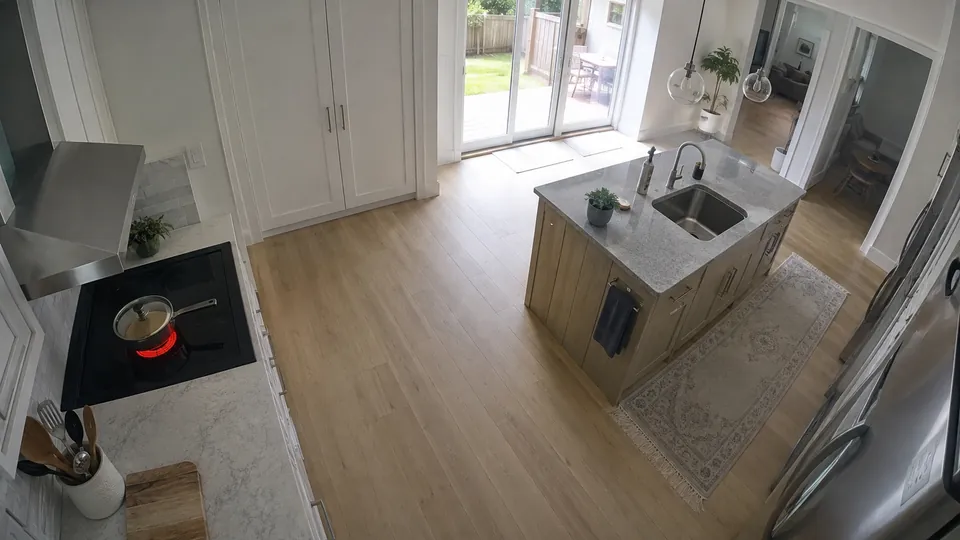
Your cameras should do what you tell them.
No menus full of predefined detections. Just describe what matters to you.
None of these are Covie features. Each one is a sentence someone wrote for their own home — and Covie kept running it.
Feeding time
- Camera
- Nursery
- Notices
- Elena feeding the baby in the chair by the window
- Then
- Send a notification · note the time on your timeline
Fitted to your nursery camera — the feeding chair, and the light through the blinds.
One camera can become a baby monitor, pet monitor, security camera, memory system—or something nobody has built yet.
Because you get to program it.
Notice. Remember. Look back.
Three things a camera should be able to do for you, described in your own words.
Notice what matters
Create your own camera alerts in plain English instead of choosing from a fixed list of motion, person, or package notifications.
Tell me if the stove is still on after everyone leaves the kitchen.
Remember what matters
Tell Covie what should be recorded or remembered. Build a private timeline of the moments you actually care about.
- 8:05 AMGarage closed after school run
- 1:12 PMPackage left at the front door
- 3:40 PMMotion in the driveway — not kept
- 4:42 PMTheo waiting by the back door
Look back at what happened
Instead of scrubbing through hours of footage, ask Covie what happened and go directly to the moments that answer you.
Tell me what Theo did today.
Slept by the back door through the morning, barked at the mail carrier just after one, and waited by the door from 4:40 until you got home.
One box. Set it up once.
Covie Hub is a small AI computer that lives in your home. Connect your compatible cameras, tell Covie what you care about from the app, and leave the rest to Covie. Your automations keep running in the background, 24/7.
Plug in Covie Hub
One power cable and your home network. Nothing to configure, nothing to maintain.
Connect your cameras
Covie works with the compatible cameras you already own, learns what each one sees, and gets to know the people and pets who live here.
Tell Covie what matters
Write an instruction in the app. Covie takes it from there, and keeps at it — day after day.
Covie keeps running when your internet doesn’t. Your automations, recordings and timeline all live on the Hub — the connection is for reaching them from your phone, not for making them work.
Your home shouldn’t have to upload itself to the cloud to become intelligent.
Covie is designed around local compute. Your camera feeds are processed by the Covie Hub in your home. Your recordings can stay there too. You can securely access your cameras and memories from the Covie app without making cloud AI the default place your family’s video gets analyzed.
Private by architecture, not just by policy.
Analysis happens at home
Your camera feeds are read by the Covie Hub sitting in your house, not by a cloud model.
Recordings can stay put
Clips and events are written to storage on the Hub, under your roof.
Access on your terms
Reach your cameras and memories from the Covie app through a secure connection you control.
Cameras are becoming programmable.
Coding agents are changing software: instead of manually building every behavior, you can increasingly describe what you want in natural language.
We think cameras are next. Tell Covie what you want a camera to notice, remember, or do. Covie turns that intent into an efficient vision pipeline that can run continuously in your home.
“Tell me if the garage is still open after 10 PM.”
A camera that now knows what your garage door looks like open, in your driveway’s light.
Today an instruction ends in a notification. It won’t always.
“Clean up the mess in the kitchen” is the same kind of sentence — it just points at a robot instead of a phone. Perception is the part that has to work first: something in the home has to understand what the mess is, and where.
What would you teach your cameras to do?
We’re building the first Covie systems now.
Beta invitations go out in small batches. Tell us what you’d want your cameras to notice and we’ll build toward the homes we hear from first.